Upload three photos
Choose three clear, front-facing photos, one consenting adult in each. Assign them to Left, Center and Right using the opening scene. A visible face, even lighting and a recognisable outfit give the effect a good starting point.
Put yourself and two friends into the Seoul street video. Add a photo for each person, keep your own looks and outfits, and let the night unfold.
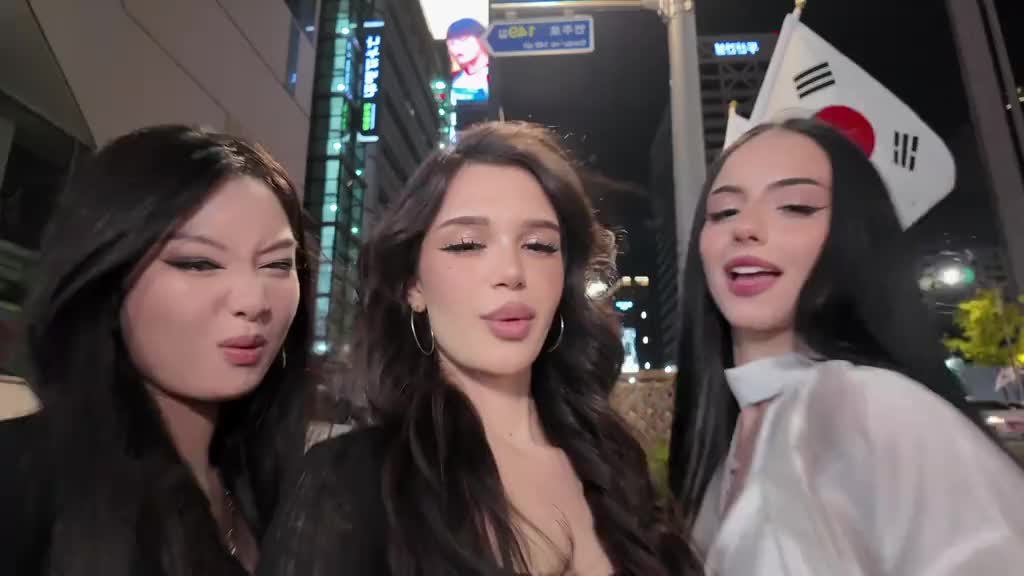
Match the opening positions above. Each person's face, hair and outfit follow their own photo, even in later close-ups.
Full video: 15s · 720p · 16:9 MP4 Preview: 4s · 480p · silent
Your account balance and preview availability will appear here.
Choose three clear, front-facing photos, one consenting adult in each. Assign them to Left, Center and Right using the opening scene. A visible face, even lighting and a recognisable outfit give the effect a good starting point.
New verified accounts can claim 10 free credits once. An optional 4-second, silent 480p preview uses 10 free credits when a daily place is available.
Choose Standard 480p or HD 720p, with optional BGM. Download your 15-second, 16:9 MP4 from My videos, then share your moving moment. Full videos use paid credits.
Fictional adults. A real AI-generated result.
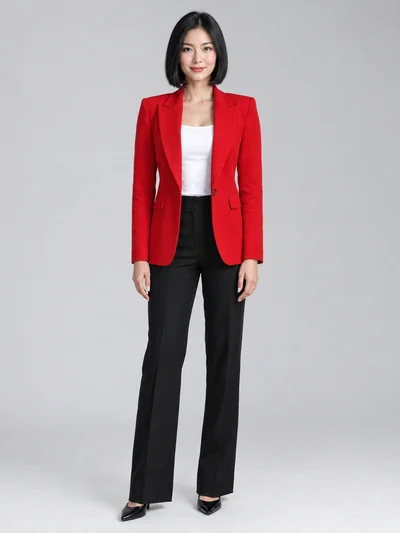 left
left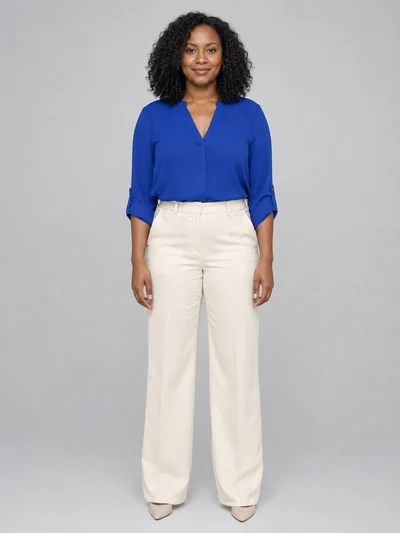 center
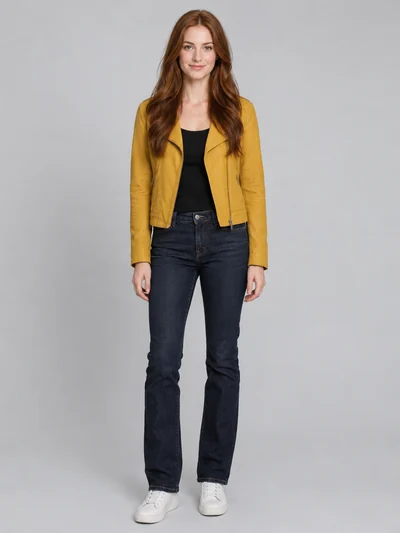 right
rightThe Gangnam Style AI Video Generator puts you and two friends into a 15-second Seoul street scene. It opens with all three people together, then follows them through individual close-ups against the nighttime backdrop. The reference clip guides the actions, camera moves and sequence of shots.
Your three photos supply the people. Assign one photo to Left, Center and Right: each person keeps that identity through the cuts, with their photo guiding their face, hair and outfit. You don’t need to film a dance, write a prompt or edit a timeline. Watch the example to see how the three reference people appear throughout the scene.
Start with a 4-second silent preview when a free place is available. For the full scene, choose 480p or 720p, keep the original soundtrack on or switch it off, then download your 16:9 MP4 from My videos. Faces, hands and motion can vary between AI generations; share your result as AI-generated fiction.
Updated
New verified accounts get 10 free credits once. A full 15-second video uses 50 paid credits in Standard or 100 in HD. One-time packs start at $6.99 USD before tax. No subscription.
A short look at the opening of the effect before making the full video. Each preview uses 10 free credits from your separate welcome balance.
Free previews are subject to availability. Free credits do not renew daily.
The complete effect in your chosen quality, with optional original BGM at no extra credit cost. Watch and download your finished MP4 from My videos.
The biggest pack covers up to 3 HD or 6 Standard videos.
Gangnam Style AI pricingGangnam Style AI turns three authorised adult photos into a short AI dance video using a preset reference clip. Assign photos to the opening Left, Center and Right performers. Each photo guides that person’s face, hair and outfit throughout group shots and individual close-ups; the reference guides the movement and scene. Watch the examples to see the current effect. Likeness, hands and motion can contain AI errors.
This workflow has a ready-to-use effect: the reference supplies the movement, camera and scene, and your three photos guide the assigned people’s appearance and outfits. You choose quality and sound without writing a prompt or editing a timeline. The preset keeps the process focused on personalising this effect. AI results can still vary from the reference.
New verified accounts can claim 10 free credits once. A 4-second silent 480p preview uses 10 free credits. They are separate from paid credits and do not renew daily. Free previews are subject to availability and reopen at 00:00 UTC (08:00 Hong Kong). If you still have free credits when previews are fully booked, try again after the reset. Full videos use paid credits.
Full videos target 15 seconds in Standard 480p or HD 720p. Free previews are 4 seconds at 480p and always silent. Choosing HD or adding BGM to a full video does not extend its duration. Generation waiting time depends on the provider.
Videos use the preset’s horizontal 16:9 format and download as an MP4. Free previews, Standard and HD keep the same landscape layout. Choosing HD changes the resolution. This preset does not offer an aspect-ratio selector.
You upload three photos, assigned left, center and right. The preset supplies the reference video and instructions. Full videos can include the supplied BGM at no extra credit cost, or you can turn it off for a silent MP4. Free previews are always silent. This workflow uses its supplied reference and soundtrack rather than custom video or music uploads.
Use another adult’s photo only when you have the rights to use it and that person’s permission for this AI edit. The same rules apply to celebrities; a publicly available photo does not establish permission. You and the person shown must be 18 or over. Follow the Acceptable Use Policy, label shared results as AI-generated fiction, and do not create deceptive impersonation or fabricated endorsements.
A full Standard 480p video uses 50 paid credits; HD 720p uses 100. A 4-second preview uses 10 free credits from a separate balance. BGM adds no credits. One-time paid packs start at $6.99 for 50 credits, in USD before applicable tax.
A confirmed failed or timed-out job returns its reserved credits once to the same free or paid balance. A free preview place is returned only when the job fails before provider submission begins. A started or uncertain submission still counts for its original UTC day, even if generation fails. Payment refunds are reviewed separately under the Refunds policy.